
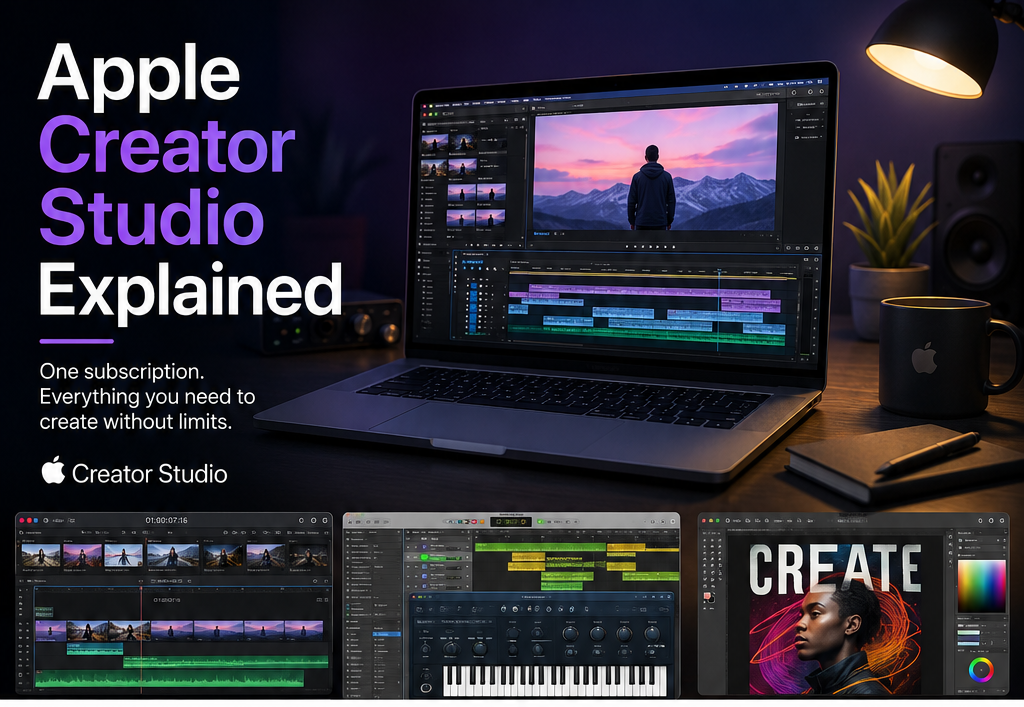
If you create content on a Mac, edit videos, produce music, or build motion graphics for a living, you have probably felt the sting of software costs. Final Cut Pro alone costs £299.99 as a one-off purchase. Logic Pro adds another £199.99. Stack a few more pro tools on top and you are looking at serious money before you have even opened a project file.
Apple Creator Studio changes that equation entirely. One subscription. £32.99 per month. Every professional creative app Apple makes, bundled together. If you have been wondering whether it is genuinely worth it or just another subscription to add to the pile, read on. You are about to get a clear breakdown of what is involved.
What Is Apple Creator Studio?
Apple Creator Studio is Apple’s all-in-one creative subscription for Mac users. Think of it as Apple’s answer to Adobe Creative Cloud, but built entirely around Apple’s own professional software ecosystem. Instead of buying each app separately at full price, you pay a single monthly fee and get access to all of them at once.
The subscription includes Final Cut Pro, Logic Pro, Motion, Compressor, MainStage, and Color Finale, plus third-party professional tools like Adobe Premiere Pro and Adobe After Effects. iCloud storage also comes included. You can cancel at any time with no long-term commitment required.
That combination of apps, at their individual retail prices, costs around £238.90 per month if you subscribed to each separately. Apple Creator Studio brings that down to £32.99. That is a saving of over £205 every single month, which works out to more than 85% off the combined individual price.
What Apps Do You Get with Apple Creator Studio?
This is where the subscription earns its keep. Here is exactly what you get:
Final Cut Pro is Apple’s professional video editing application. It handles everything from basic cuts to complex multi-camera edits, colour grading, and HDR workflows. Broadcasters, YouTubers, and film editors all use it professionally. Buying it outright costs £299.99.
Logic Pro is Apple’s full professional digital audio workstation. Music producers, composers, and podcast creators use Logic Pro to record, mix, master, and produce audio at a professional level. The built-in sound library alone is worth hundreds of pounds. As a standalone purchase, it costs £199.99.
Motion lets you build motion graphics, titles, and visual effects that integrate directly with Final Cut Pro. If you create YouTube intros, broadcast graphics, or animated lower thirds, Motion is the tool for that job.
Compressor handles encoding and delivery. Once you finish editing, Compressor compresses and exports your video in exactly the format and quality you need, whether that is for broadcast, streaming, or social media.
MainStage turns your Mac into a full live performance rig. If you play live music and want to trigger backing tracks, use virtual instruments on stage, or run your entire live sound setup through your Mac, MainStage covers it.
Color Finale is a professional colour grading plugin for Final Cut Pro. It brings advanced colour tools into your editing workflow without switching to a separate application.
Adobe Premiere Pro needs no introduction. It is the industry-standard video editing application used by television studios, agencies, and independent filmmakers worldwide.
Adobe After Effects handles motion graphics and visual effects at a professional broadcast level. Text animations, compositing, green screen work, and complex visual effects all live inside After Effects.
That is eight professional creative applications under a single subscription. No separate licences to track. No renewal dates to manage for each one individually.
Who Is Apple Creator Studio Actually For?
The subscription makes the most sense for four groups of people.
Video editors and filmmakers get the biggest immediate benefit. Final Cut Pro and Adobe Premiere Pro together cover every editing workflow imaginable. Compressor handles delivery. Color Finale and Motion take your colour and graphics work to a professional level. If video is your job, this subscription pays for itself in weeks.
Music producers and composers get Logic Pro, one of the most comprehensive DAWs available anywhere, plus MainStage for live performance. Logic Pro’s instrument library, effects plugins, and recording tools rival software that costs significantly more. For anyone serious about music production on a Mac, Logic Pro is worth the subscription price on its own.
Motion designers and creators get Motion and After Effects in the same package. Motion integrates tightly with Final Cut Pro for broadcast-quality graphics work. After Effects opens up a completely separate set of compositing and animation capabilities. Having both means you can choose the right tool for each project rather than being limited to one.
Content creators and YouTubers benefit from having everything in one place. You can edit your video in Final Cut Pro, create your intro in Motion, grade your footage in Color Finale, and mix your audio in Logic Pro without juggling multiple separate subscriptions. It simplifies your workflow considerably.
Apple Creator Studio vs Adobe Creative Cloud: How Do They Compare?
Adobe Creative Cloud is the obvious comparison. Adobe’s All Apps plan costs around £54.98 per month in the UK. Apple Creator Studio comes in at £32.99. That is a meaningful price difference, especially if you work primarily in the Apple ecosystem.
The key distinction is where each subscription lives. Adobe Creative Cloud runs across Mac and Windows. Apple Creator Studio runs exclusively on Mac. If you work on a Mac and use Apple hardware throughout your workflow, Creator Studio gives you deeper integration with your operating system, tighter performance optimisation, and lower monthly costs.
Adobe still holds advantages in certain areas. Photoshop, Illustrator, and InDesign have no direct equivalents in Apple Creator Studio. If your work involves heavy graphic design or print production, you may still need an Adobe subscription alongside Creator Studio. But for video, audio, and motion graphics, Apple’s bundle competes directly and costs significantly less.
If you are thinking about which Mac to use for creative work, our best budget laptops under £300 guide covers the hardware side of the equation, and our Samsung Galaxy S25 vs iPhone 16 comparison is useful if you are also thinking about which phone pairs best with an Apple creative setup.
The iCloud Storage Benefit
Apple Creator Studio includes iCloud storage as part of the subscription. For creative professionals, cloud storage matters more than most people realise. Large video project files, audio sessions, and motion graphics assets take up serious space. Having reliable cloud backup built into your subscription removes one more thing to manage and pay for separately.
iCloud also syncs your work across devices. If you edit on a MacBook Pro at your desk and then want to review or make quick changes on another Mac later, your projects stay available and up to date. For anyone who works across multiple machines or collaborates with other Apple users, that is a genuine practical benefit.
What Apple Intelligence Means for Creative Work
Apple has been building AI features into its apps and operating system steadily. If you want to understand how Apple Intelligence integrates with Mac software more broadly, our article on what Apple Intelligence is and whether your Mac can use it covers exactly that in plain English.
The short version: Apple’s on-device AI tools are starting to show up in creative workflows. Things like automatic transcription in Final Cut Pro, smart noise reduction in Logic Pro, and AI-assisted colour matching are part of where Apple is taking its creative apps. Subscribing to Creator Studio means you receive these improvements automatically as Apple ships them, without paying more or upgrading separately.
Is the £32.99 Monthly Price Good Value?
Let’s do the numbers properly. At £32.99 per month, you pay £395.88 per year for Apple Creator Studio. Final Cut Pro alone as a one-off purchase costs £299.99. Logic Pro costs £199.99. Just those two apps together, bought outright, cost £499.98.
That means in year one, you are already saving over £100 compared to buying just those two apps individually, and you get six more professional tools on top. In year two, you save even more because you do not pay again for the individual apps you already own, but Creator Studio keeps delivering all of them and any new additions.
If you use even three or four of the included apps regularly, the subscription pays for itself quickly. If you only ever use one app, the calculation looks different, and buying that single app outright might make more sense for you.
The key question to ask yourself is this: how many of the included apps will you actually open? If the honest answer is four or more, Creator Studio is almost certainly the right financial decision.
Practical Things to Know Before You Subscribe
A few things worth knowing before you commit your £32.99 per month.
You need a compatible Mac running a recent version of macOS to access all the included apps. Some older Macs will not run the latest versions of Final Cut Pro or Logic Pro at all. Check your Mac’s compatibility before subscribing.
The subscription is billed monthly, and you can cancel at any time. Apple does not lock you into an annual commitment the way some software providers do. That flexibility matters if your workload changes or you take a break from creative work for a few months.
Downloading all the apps after you subscribe takes time. Final Cut Pro, Logic Pro, and After Effects are large applications. Set aside a couple of hours on a good internet connection for the initial installation. An external hard drive to back up your project files is also worth having before you start working seriously in any of these apps. Our guide on the best external hard drives for backup in the UK covers the best options across different budgets.
What Experts and Creators Say
Apple Creator Studio has drawn positive responses from creative professionals since its launch. 9to5Mac’s overview of the bundle highlights the value proposition for Mac-native creators who do not need the Windows compatibility Adobe provides. The Verge’s coverage of Apple’s pro app ecosystem notes that Final Cut Pro and Logic Pro remain genuinely competitive with industry-standard alternatives at any price point. And the team at CreativeBloq consistently ranks Logic Pro and Final Cut Pro among the best professional creative apps available on any platform.
The consensus is clear. If you work on a Mac and your output involves video, audio, or motion graphics, Apple Creator Studio offers serious professional tools at a price point that undercuts the competition significantly.
Practical Tips to Apply Right Now
Here are six things you can do immediately to get the most from Apple Creator Studio:
- List every creative app you currently pay for separately. Add up what you spend monthly across video editing, audio production, and motion graphics tools. Then compare that total to £32.99. The number will likely surprise you.
- Start with the app you use most. Do not try to learn Final Cut Pro, Logic Pro, and After Effects simultaneously. Open the one that matches your main creative work and get comfortable there first. Breadth comes later.
- Set up iCloud storage properly on day one. Go into System Settings, sign into iCloud, and configure your storage allocation before you start saving project files. This prevents the common mistake of filling up local storage unnecessarily.
- Download Logic Pro’s full sound library immediately. Logic installs a basic set of sounds by default. Open Logic, go to Sound Library, and download everything. This process takes time but gives you thousands of professional sounds, loops, and instruments that are part of your subscription.
- Watch Apple’s own tutorial channels for each app. Apple publishes free, high-quality tutorial videos for Final Cut Pro and Logic Pro on YouTube. These are created by Apple’s own teams and cover real workflows efficiently. They are a faster on-ramp than paid courses for most beginners.
- Keep your Mac’s storage healthy. Creative files grow fast. Monitor your storage regularly, archive completed projects to an external drive, and clear your cache folders in Final Cut Pro and Logic Pro periodically. Our guide on how to speed up a slow laptop explains how to manage storage and keep your machine running smoothly under heavy creative workloads.
Ready to See If It’s Worth It for You?
Apple Creator Studio bundles Final Cut Pro, Logic Pro, Motion, Compressor, MainStage, Color Finale, Adobe Premiere Pro, and Adobe After Effects into a single subscription at £32.99 per month. That is over 85% savings against buying each app individually. No hidden fees. iCloud included. Cancel whenever you want.
If you create video, produce music, build motion graphics, or make content professionally on a Mac, this subscription removes the cost barrier that has historically kept professional tools out of reach for independent creators.